Talent network:
Getro Talent network is a meaningful component to any talent strategy. It allows job seekers to express their interest in joining your talent network. By signing up, they can use your job board as a resource in their job search. Additionally, you are able to capture the organic interest of visitors to your job board so that you can direct these professionals to portfolio companies with relevant opportunities.
How to use the Getro talent network:
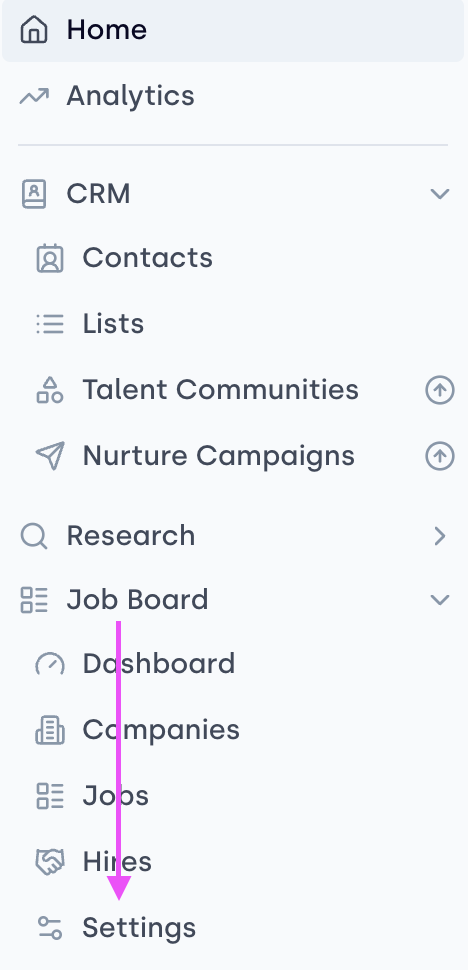
- You can control the visibility of the Talent network on your job board from accessing the Settings section of your Getro workspace under Job board.
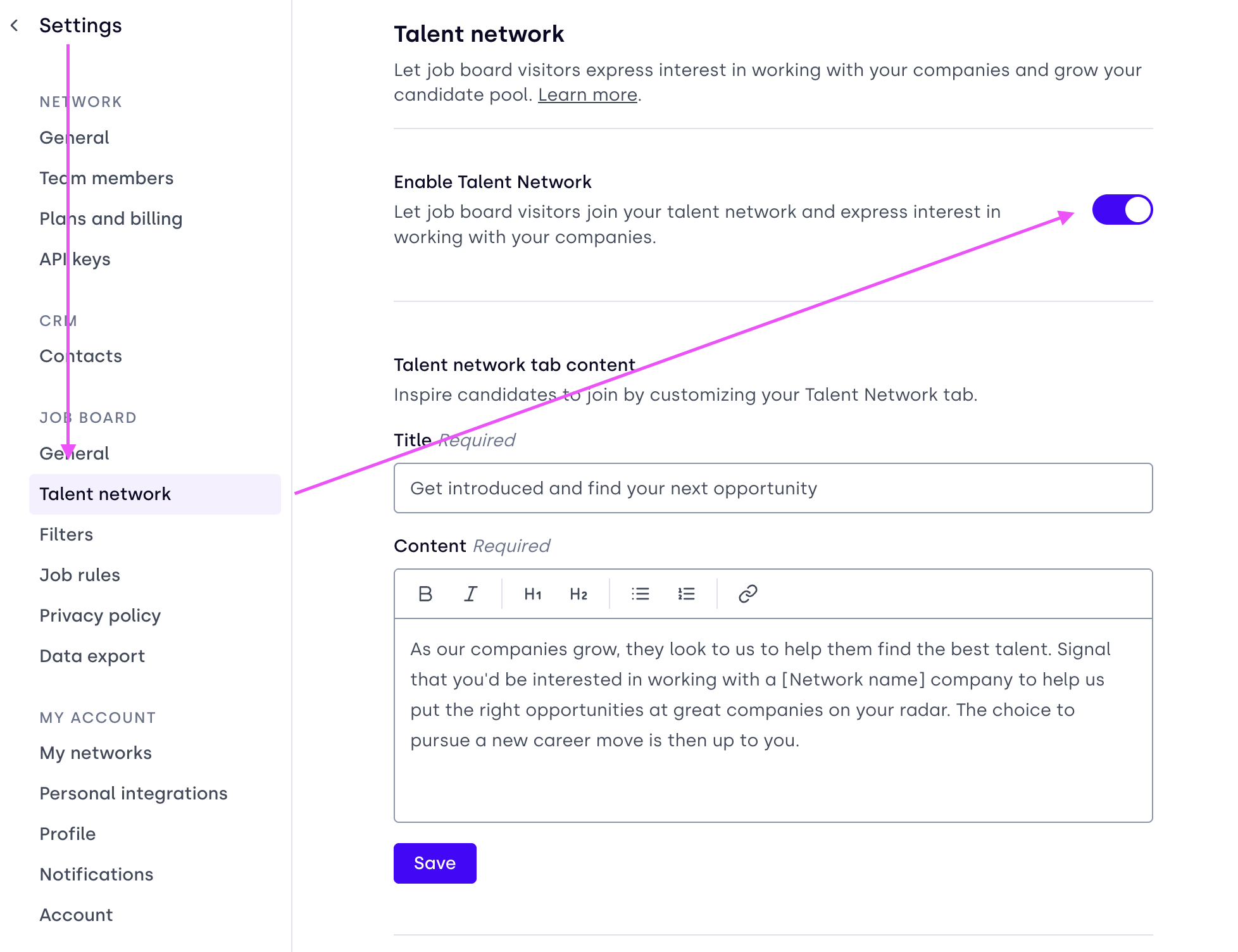
- If toggled on, the Join talent network — which helps you capture organic interest from job seekers — is visible on your job board, alongside the Search jobs and Explore companies tabs.
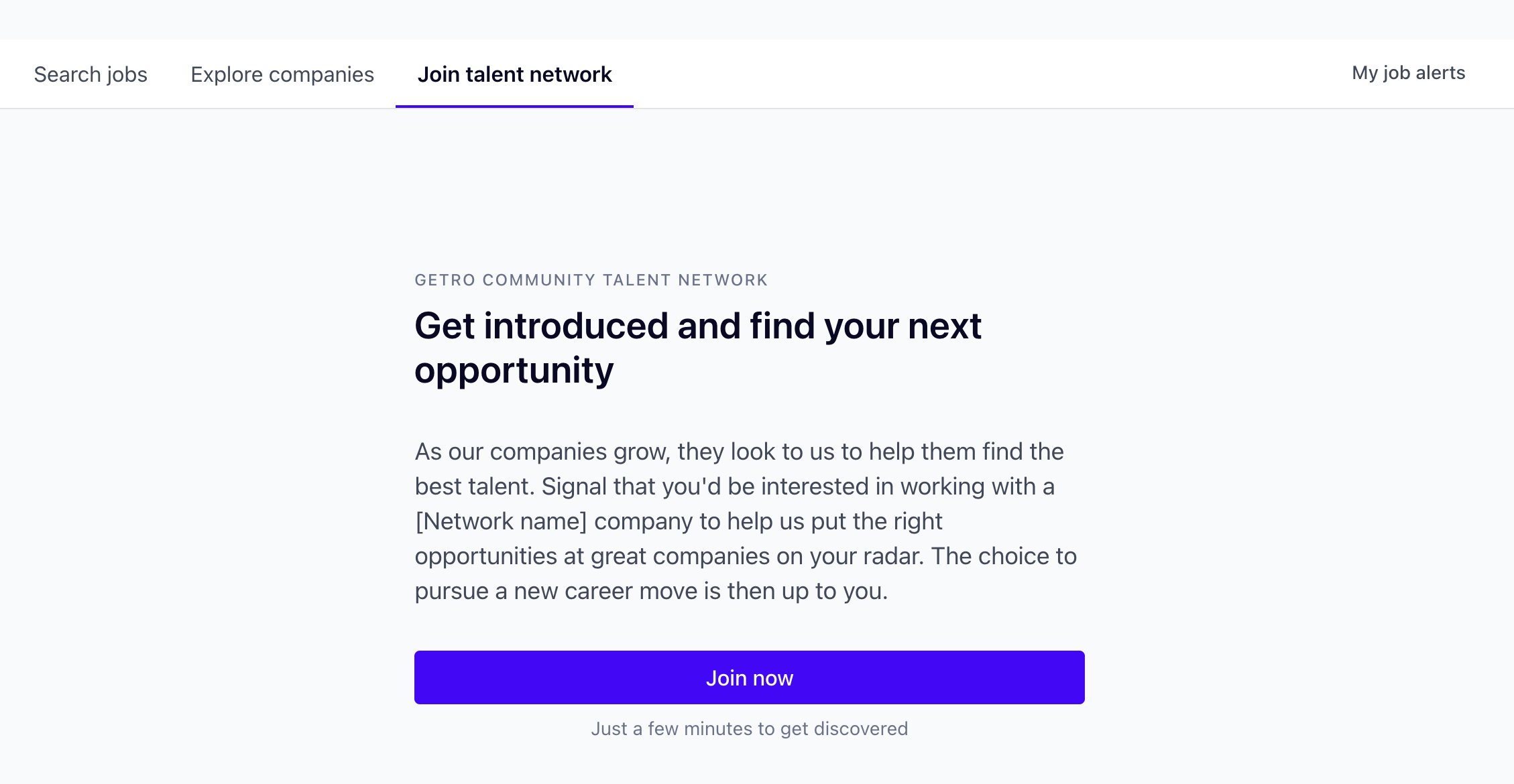
- Once job seekers click on the tab, they are directed through a short signup process to answer questions about their job preferences and their professional background.
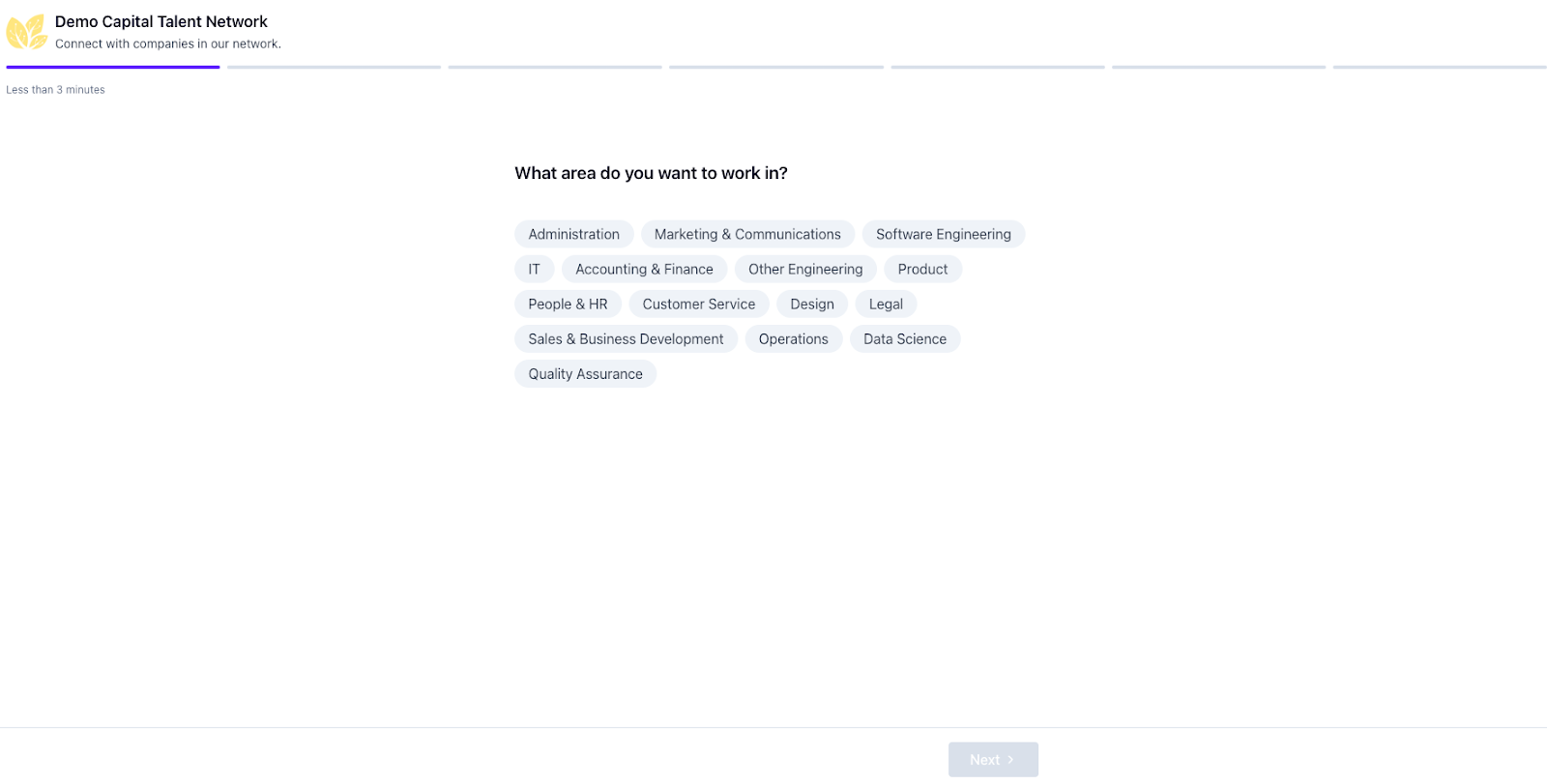
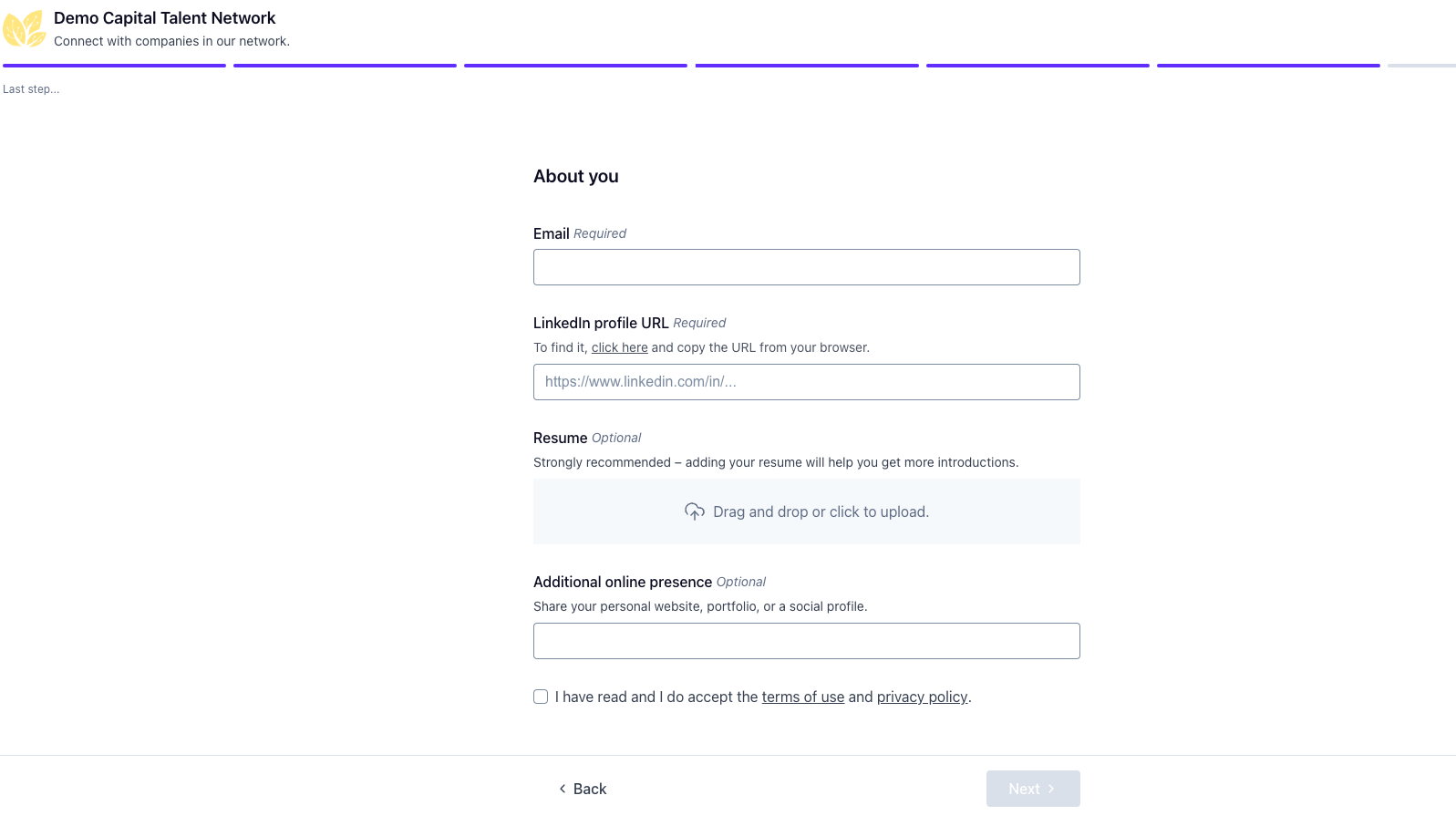
- Once they complete the process, their information is stored in the contact database. From there, you can see their information in your Getro workspace under the Contacts tab — which is automatically kept up-to-date through their LinkedIn profile — and they can stay updated about potential job alerts they may be interested in through Job alerts.
You can easily search Contacts and review/share their information as part of your talent workflow!
FAQ:
Can I customize the Talent network messaging?
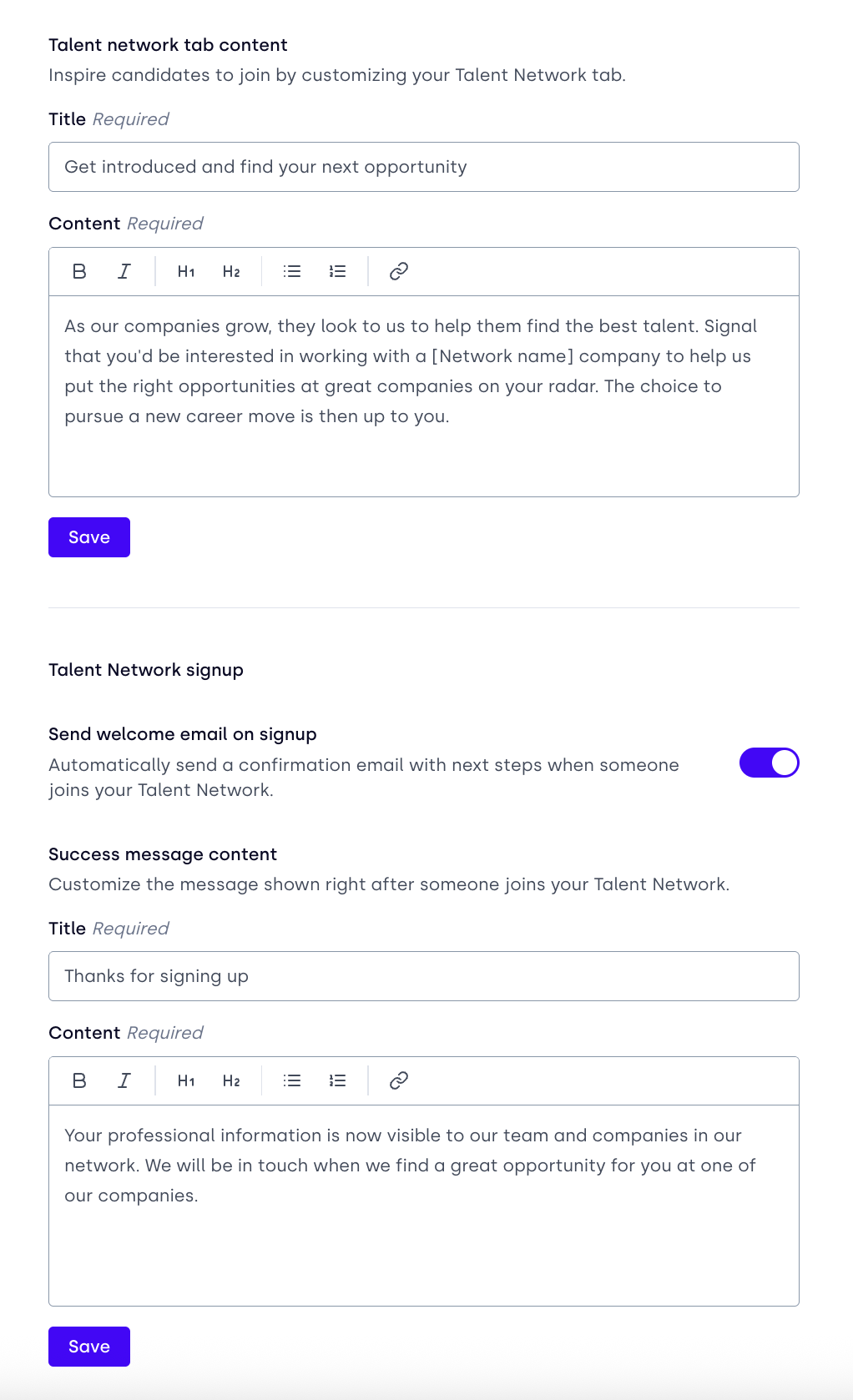
Yes! You have the ability to customize the messaging users see when interacting with your Talent network under the same settings section of your workspace.
We also hope to add additional customization (for example, custom sign-up questions) at some point soon!